Guides
How to Edit a Short Link Destination After Sharing It
Title: How to Edit a Short Link Destination After Sharing It Slug: edit-short-link-destination Category: Guides You shared a short link, and now the page it points to is wrong. Maybe you typed the destination with a mistake, the page moved,
By Urlzbit · · 9 min read
Title: How to Edit a Short Link Destination After Sharing It Slug: edit-short-link-destination Category: Guides
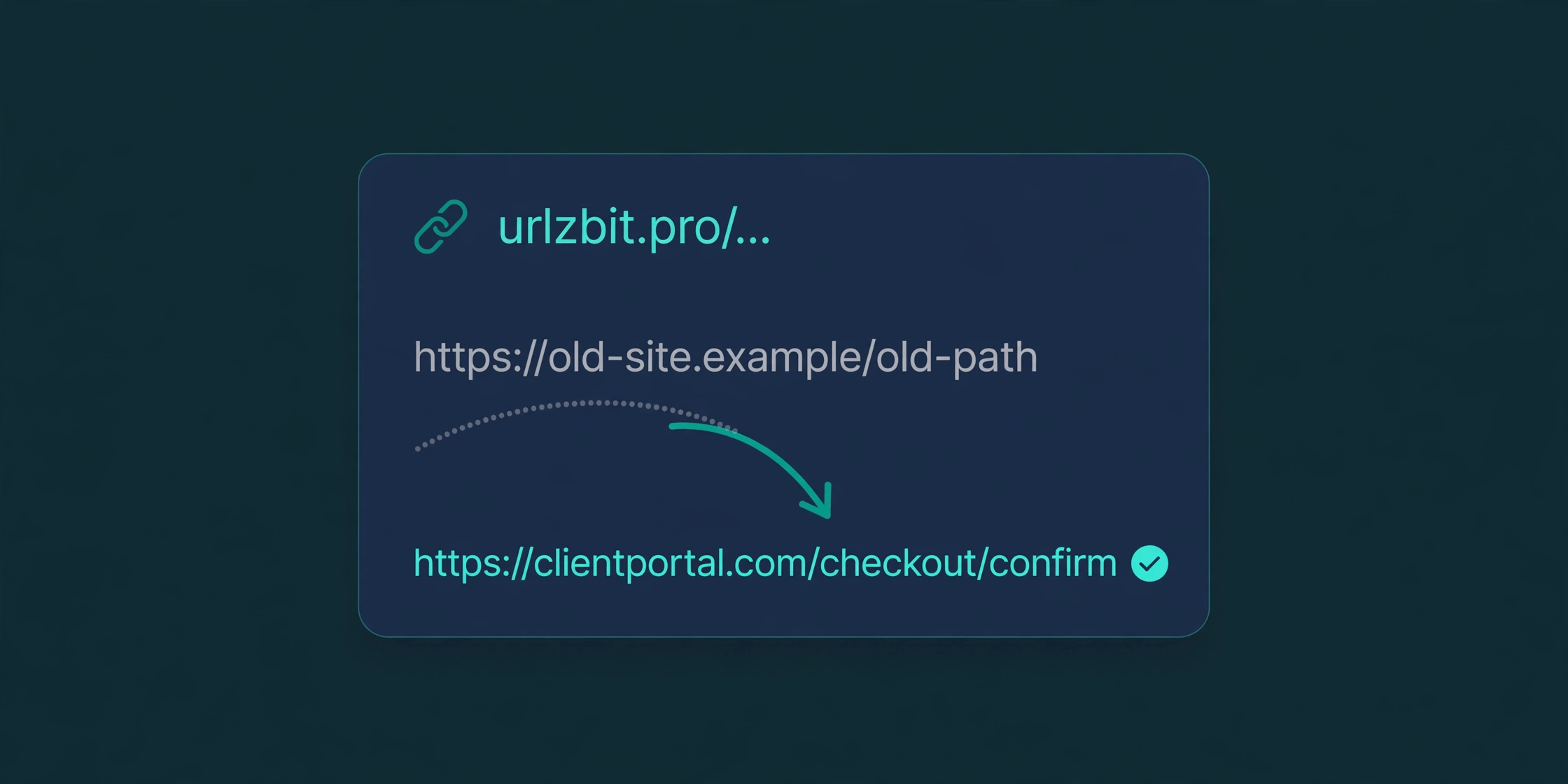
You shared a short link, and now the page it points to is wrong. Maybe you typed the destination with a mistake, the page moved, or the campaign behind it ended. You do not need to delete the link and start over. If you control the link in the account that created it, you can change where it points while the short address stays exactly the same. Every place the link was already shared then leads to the new page.
Why editing a destination matters
A short link is a promise that a short address will take someone to the right page. When the page behind it changes, the promise breaks. Editing the destination fixes it without touching the address people already have.
- A typo in the original destination: the link works, but it opens the wrong page or a page that does not exist.
- A page that moved: a product page, a form, or a blog post changed its address after you shared the short link.
- A campaign that ended: a sale, a registration form, or an event page is over, and the link should now point at the current offer or the event archive.
- The wrong page was linked: the link went live pointing at a draft, a test page, or a colleague's page instead of the finished one.
- Seasonal content: the same short link in a bio or on printed material should point at the current season's page, not last season's.
In each case the fix is the same: keep the short address, change the destination behind it.
How to edit a short link destination on Urlzbit
Editing works on any managed link in your Urlzbit account, on the free plan as well as paid plans. Plans: Urlzbit pricing lists what each tier includes. The steps are short.
- Sign in to Urlzbit and open My links.
- Find the link whose destination you want to change and choose Edit link.
- Replace Destination URL with the complete new address, including the full domain.
- Save the change.
Keep the existing link record. Creating a new short link does not update the old shares — it creates a second address that nobody has yet. The whole point of editing is that the short address people already hold keeps working, now aimed at the new page.
After saving, open the short link yourself in a fresh browser tab and confirm it lands on the new page. Check it on a phone too if the link is used in messages or on printed material, since that is how most people will open it.
What happens to your old shares
Nothing changes for the people who already have the link. That is the advantage of editing instead of replacing.
- The short address is unchanged: the same short link now opens the new destination.
- Every placement follows: a link in a bio, an email, a social post, an ad, or a chat message all lead to the new page, because they all point at the same short address.
- No re-sharing is needed: you do not have to track down every place the link appears and swap it for a new one.
- Printed material keeps working: a poster, a flyer, or a business card carrying the short link now sends people to the new page without a reprint. For printed QR codes specifically, the same idea applies — the printed pattern stays the same while the destination behind it changes.
If the link was shared as a QR code rather than as text, the print case has its own details worth knowing. Printed QR codes: Change a QR Code Destination After Printing explains how to check what address is encoded in a printed code and when a printed code can be updated.
Edit, rename, and delete are three different jobs
People mix these up, and picking the wrong one causes exactly the problem they were trying to fix.
- Edit the destination: the short address stays the same, the page it opens changes. Use this when the page is wrong or outdated.
- Rename the link: the destination stays the same, the readable ending of the short address changes. Use this when the address itself is hard to read or remember. Renaming guide: How to Rename a URL Link covers custom endings in detail.
- Delete the link: the short address stops working everywhere it was shared. Use this only when you truly want the link gone, for example when a campaign is dead and no replacement page exists.
Editing is the safe middle option. It fixes the content without breaking the address, and it does not throw away the link's history.
The honest limits of editing
Editing a destination is powerful, but it cannot do everything. Knowing the limits keeps you from assuming a fix worked when it did not.
- You can only edit links you control. A short link created in someone else's account, or a raw long URL pasted directly into a post, cannot be edited through your Urlzbit dashboard. For a link you do not control, you need the owner's help or a replacement link.
- Editing does not change the short address. If the address itself is the problem — it is misspelled, hard to read, or off-brand — editing the destination will not fix it. That is a renaming job.
- Routing rules can override the new destination. If country, device, language, weighted, or administrator global routing is active on the link, those rules may send some visitors to a different page than the default destination you just set. Review the routing rules when you change the default page. Country routing: How to Redirect a Link Based on Country explains how regional rules choose a destination.
- Editing does not change the destination page itself. Changing where a link points does not change what the new page allows. If the new page needs a login, a permission, or a purchase, visitors still face that requirement.
- Check the link is still active. Editing the destination of a link that has expired or reached a click limit will not bring it back. Confirm the link is active before assuming the edit fixed it.
- Old clicks stay on the old record. Editing changes where future clicks go. It does not rewrite where past clicks went, and it does not separate clicks that came from different placements. If you need to compare placements, use one link per placement. Tracking basics: Free Link Tracking explains what free analytics can and cannot tell you.
When to edit and when to start over
Edit when the short address is already out in the world and worth keeping — in bios, emails, ads, or print. The address is the asset; the destination is replaceable.
Start over with a new link when the old address itself is the problem, when the link belongs to a finished campaign that should never be reused, or when you need clean analytics separated from the old link's history. A fresh link gives you a fresh record and a fresh address, at the cost of updating every placement.
For most everyday fixes — a typo, a moved page, an ended campaign — editing is the right call. It takes under a minute, it leaves every existing share working, and it keeps the link you already distributed.
FAQ
Can I edit a short link after sharing it?
Yes, if you created the link in an account you control. Open the link in your dashboard, change the destination, and save. The short address stays the same, so every existing share now opens the new page.
Do people who already have the link need a new one?
No. That is the point of editing. The short address does not change, so links in bios, emails, posts, and printed material all follow to the new destination automatically.
Will editing a link break my QR code?
No, as long as the QR code was generated from the managed short link. The printed pattern encodes the short address, not the destination page. Changing the destination behind that address changes where scans go, while the printed code stays valid.
Can I edit a link someone else created?
No. Only the account that owns the link can edit it. If you do not control the link, ask its owner, or share a new link of your own.
What is the difference between editing and renaming a link?
Editing changes the page the link opens. Renaming changes the readable ending of the short address itself. They solve different problems, and most shorteners treat them as separate actions.
Should I edit or delete a link for a finished campaign?
Edit it if a replacement page exists and the link is still in circulation — point it at the current offer or an archive page. Delete it only when no replacement makes sense and you want the address to stop working entirely. Deleting breaks every old share, so treat it as permanent.
Does editing a link change its click history?
No. Past clicks stay recorded against the link. Editing only changes where future clicks land. If you need separate numbers for a new campaign, create a new link instead of reusing the old one.
The short version
A shared short link is not frozen. If you control it, you can change its destination in under a minute, keep the same short address, and let every existing share follow to the new page. Edit when the page is wrong, rename when the address is wrong, and delete only when the link should stop working for good. Getting started: Create, Share and Track Short Links walks through the full link workflow from creation to analytics.