Guides
What Is a URL Shortener? How Short Links Work
A URL shortener is a tool that turns a long, messy web address into a short link that is easier to share, remember, and measure. You paste in the original address, the service gives you a compact version, and anyone who clicks the short lin
By Urlzbit · · 10 min read

A URL shortener is a tool that turns a long, messy web address into a short link that is easier to share, remember, and measure. You paste in the original address, the service gives you a compact version, and anyone who clicks the short link is sent to the original page. Nothing about the destination changes. The short link is simply a tidier doorway to the same place.
Short links are everywhere now: in social media bios, on printed posters, in email signatures, in video descriptions, and on business cards. They exist because raw URLs were never designed to be spoken aloud, printed, or squeezed into a small space. A shortener fixes that one problem, and the better ones add useful extras on top: click counts, QR codes, and controls such as password protection.
What a URL shortener does
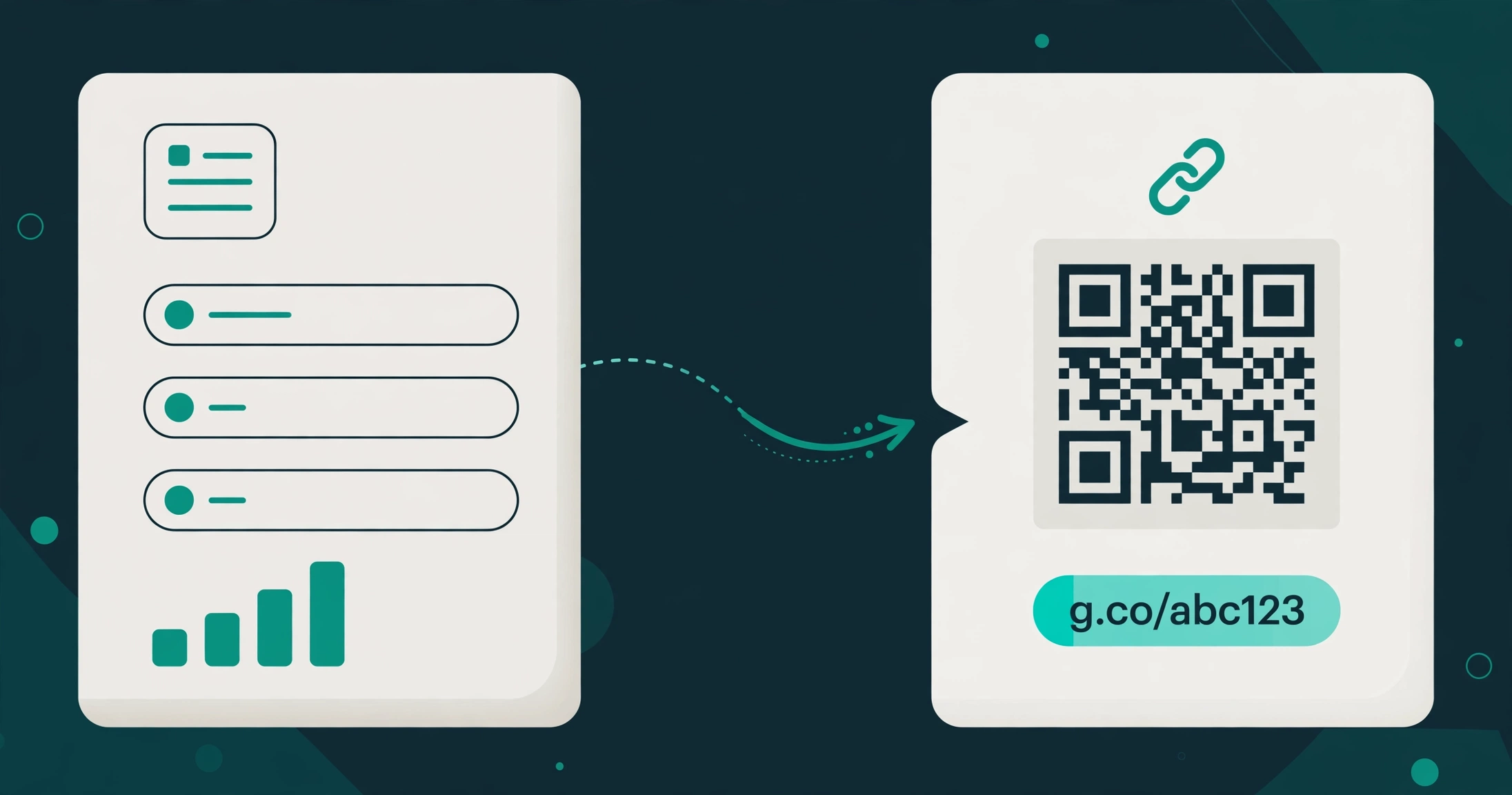
At its simplest, a URL shortener does three things. It accepts a long URL, it creates a short address that points to it, and it redirects every visitor from the short address to the long one. That is the whole job, and it is worth understanding clearly before comparing tools, because every extra feature a shortener advertises sits on top of this one mechanism.
The short address usually has two parts: the shortener's domain and a short code after the slash. The code might be a few random-looking characters, or it might be a readable word you chose yourself, such as a product name or a campaign word. Either way, the code is just a label. The service keeps a record that says this label means that destination, and it uses that record every time someone clicks.
Shorteners are not search engines, and they are not hosting services. They do not copy your page or change its content. They hold a forwarding address, nothing more. When the forwarding record is removed or the service closes, the short link stops working, which is why it matters to choose a service you expect to stick around and to keep your important links in one place you control.
How shortening works
The process feels instant, but a few distinct steps happen behind the scenes. Understanding them helps you judge what a shortener can and cannot promise.
- You submit the long URL. You paste the destination into the shortener, and the service checks that it is a valid web address.
- The service creates a short code. It generates a short string of characters, or accepts a custom ending you typed, and pairs that code with your destination in its database.
- The short link is published. You get a short address you can copy anywhere: a post, a poster, an email, or a QR code.
- A visitor clicks the short link. Their browser asks the shortener's server for that short address.
- The server looks up the code and redirects. The server finds the matching destination and sends the visitor there with a redirect, normally a permanent 301 redirect, which is the standard choice for short links. The visitor's browser then loads the destination page as usual.
Two details in that chain are worth knowing. First, the redirect is why analytics are possible at all: because every click passes through the shortener's server first, the service can count it and record basic facts about it, such as when it happened. Second, the redirect is also why a short link can keep working even if you change what sits behind a QR code printed on it, since the printed code points to the short link rather than directly to the final page. The short link is the stable layer between the thing people see and the page they land on.
None of this requires any software on the visitor's side. There is nothing to install, no account needed to click, and no special browser. That simplicity is a large part of why short links spread so widely: they work for everyone, on every device, with no explanation needed.
Why people use short links
People reach for a shortener for different reasons, and the reason usually decides which features matter. A few of the most common ones are worth spelling out, because they explain why a plain link-shortening box is rarely the whole product anymore.
- Shareability. A short link fits where a long one does not: a social bio, a text message, a slide, a spoken mention on a video. It also survives being copied and pasted without breaking across lines, which long addresses with tracking parameters often fail to do.
- Readability and trust. A short, readable link tells the reader something before they click. A random string of tracking parameters tells them nothing and can look suspicious. A clean link with a recognisable word in it is easier to trust, which matters when you are asking strangers to click.
- Tracking. Because clicks pass through the shortener, you can count them. That turns a link from a guess into a measurement: you can see whether a poster, a post, or an email actually sent anyone anywhere, instead of wondering.
- QR codes. Every short link can be turned into a QR code, which bridges print and digital. A poster, a menu, a business card, or a product label can carry a code that opens a page, and the scan counts alongside ordinary clicks.
- Control after sharing. Some shorteners let you change what a link points to, protect it with a password, or set when it is available. That control is valuable when a link lives somewhere you cannot easily edit, such as a printed flyer or a video description.
Notice what is missing from that list: a short link does not by itself bring traffic. Nobody discovers your page because its address got shorter. Shorteners make sharing and measuring easier; they do not replace the work of getting the link in front of people.
Short link vs raw URL
It helps to put the two side by side, because a raw URL is not broken and a short link is not magic. Each has a place.
- Length and appearance. A raw URL can run to hundreds of characters once tracking parameters are added, and it often breaks across lines in emails and documents. A short link stays compact and readable.
- Memorability. Almost nobody memorises a raw URL with parameters. A short link with a readable word in it can be remembered, spoken, and typed from a slide or a poster.
- Measurement. A raw URL on its own tells you nothing when someone clicks it, unless you have analytics on the destination page and the traffic is tagged. A short link counts clicks before the visitor even arrives.
- Flexibility. A raw URL is fixed: if the destination moves, every copy of that URL you have already shared points to the wrong place. A short link adds a layer you can update in some services, so the shared address can stay the same while the destination changes.
- Dependence. A raw URL depends only on your own site staying up. A short link adds a second dependency: the shortening service must also stay up. That is the real trade-off, and it is the reason to pick a service with a track record rather than the first free box you find.
- Trust. A raw URL shows the true domain up front, which some readers prefer. A short link hides the destination until clicked, which is why readable custom endings matter: they give the reader a hint about where they are going.
The honest summary is that a short link wins on sharing, measuring, and presentation, while a raw URL wins on independence and transparency. For links you share widely, the short link usually wins. For a link inside your own site's navigation, shortening adds nothing.
What to look for in a shortener
Shorteners look similar on the surface, so the differences that matter are usually in the details. Before committing your links to one, check the following.
- Free-plan limits, stated plainly. How many links can you save, and how many clicks do they allow each month? A free plan that hides its limits until you hit them is a warning sign. Look for numbers on the pricing page, not vague promises of unlimited everything.
- Click analytics. At minimum, you want a total click count per link. Country, device, and referrer breakdowns are genuinely useful once you are comparing placements, but a total count is the foundation everything else builds on.
- Custom endings. The ability to choose the word after the slash turns a forgettable code into something readable and on-brand. Check whether custom endings are on the free plan or locked behind a paid tier.
- QR codes per link. If you print anything, QR support matters. Each link should get its own code, so scans can be tracked per placement rather than lumped together.
- Editing and protection. Ask whether you can change a link's destination after sharing it, and whether you can password-protect a link you do not want public. These controls matter most exactly when you cannot reprint or repost.
- Forced ads and forced branding. Some free plans show ads to your visitors or force their own branding onto your links. Check before you share widely, because your visitors will meet whatever the free plan puts in front of them.
- Renewal terms. Some services renew automatically and charge you again unless you cancel. Others, like Urlzbit, do not auto-renew at all, so a paid period simply ends unless you choose to renew. Know which model you are signing up for before you pay.
- Export and bulk tools. If you will ever manage more than a handful of links, bulk creation and a way to export your links matter. A service that locks your links inside its dashboard with no export is a service that is hard to leave.
A shortener that is honest about its limits is usually a safer bet than one that promises everything for free. Limits are normal. Hidden limits are the problem.
Try it on Urlzbit
If you want to test the idea without paying anything, Urlzbit's free plan covers the core of what this guide describes. You get 100 saved links and 10,000 clicks per calendar month, with custom endings, a QR code for each link, password protection, Google sharing, and scheduling on the free plan. That is enough for a real test.
- Practical next step: How to create, share and track a short link with Urlzbit walks through creating your first link, sharing it, and reading its analytics.
- Custom endings explained: What Is a Vanity URL? How Custom Short Links Work explains how readable custom endings work and when they are worth using.
- Choosing between tools: Alternative to Bitly: A Cheaper, Simpler Option for Small Teams compares Urlzbit with the best-known shortener, honestly, including where each one wins.
One honest caveat belongs here too. Urlzbit gives you custom endings on its own domain, which is different from bringing your own custom domain to put on your links. If a fully branded domain on every link is a hard requirement for you, check that specifically before choosing any tool, because not every shortener offers it and Urlzbit does not document it. For most sharing, tracking, and QR use, custom endings cover the need without that extra complexity.
A URL shortener is a small tool that solves a small problem well: long addresses are hard to share and impossible to measure, and short links fix both. Pick one with clear limits, real analytics, and controls you can live with, and keep your important links in a place you expect to stay. The rest is just sharing.