Guides
Alternative to Bitly: A Cheaper, Simpler Option for Small Teams (Honest Comparison)
If you manage links for a small business, a freelance practice, or a growing team, you have probably hit the same wall: Bitly's free plan now allows just 5 new links and 2 QR codes a month, and the next step up is a paid subscription that r
By Urlzbit · · 13 min read
Updated October 21, 2026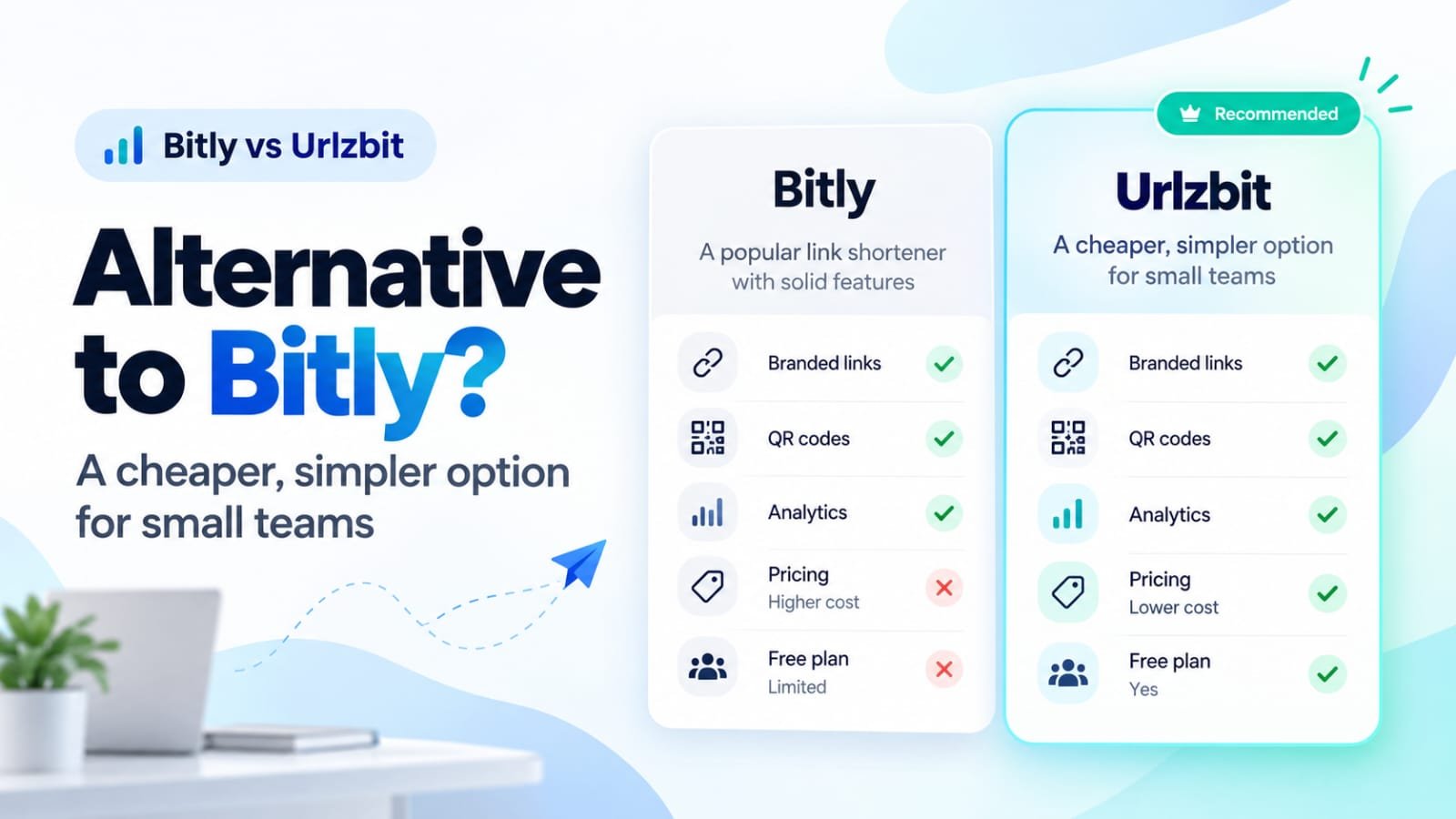
If you manage links for a small business, a freelance practice, or a growing team, you have probably hit the same wall: Bitly's free plan now allows just 5 new links and 2 QR codes a month, and the next step up is a paid subscription that renews automatically whether you are using it or not. If you are searching for an alternative to Bitly, the short answer is this: Urlzbit gives you a much larger free link allowance (100 saved links and 10,000 clicks a month), a paid tier at $9 per 30 days with no automatic renewal, and a one-time Lifetime option at $149 — in exchange for a smaller, newer platform without Bitly's enterprise tooling. This comparison, published by Urlzbit, lays out the verified pricing, limits, and migration facts so you can decide for yourself.
Why Are People Looking for an Alternative to Bitly?
Most people do not leave Bitly because it stopped working. They leave because the fit changed. According to Bitly's published pricing (checked October 2026), the free plan includes 5 links per month, 2 QR codes per month, and 3 custom back-halves — and it carries ads and no click-history reporting for short links. To see how your links performed, you need at least Core ($10/month, billed annually), which includes 30 days of click and scan data. Branded custom domains start at Growth ($29/month billed annually), and city-level and device data sit on Premium at $199/month.
For a freelancer running a few campaigns, those jumps can feel steep relative to the job: shortening links, printing QR codes, checking clicks, and occasionally fixing a destination. Many switchers are really looking for three things — a bigger free allowance, predictable billing that does not auto-renew, and link management that stays simple.
None of this erases Bitly's genuine strengths. It is an established platform with mobile apps, browser extensions, a large integrations marketplace, and an Enterprise tier with SSO and a 99.99% uptime commitment. The question is whether a small team needs that machinery — and wants to keep paying for it every month.
Bitly vs Urlzbit: Quick Feature and Pricing Comparison
The table below uses published plan details from both providers, checked on October 20, 2026. Note one important difference in how allowances are counted: Bitly's limits are monthly creation quotas, while Urlzbit's link limits are the total number of saved links your account can hold.
- Free link allowance — Bitly: 5 new links/month · Urlzbit: 100 saved links (total)
- Free click allowance — Bitly: Unlimited clicks & scans · Urlzbit: 10,000 clicks/month
- Free QR codes — Bitly: 2/month · Urlzbit: QR code for every link, downloadable as PNG
- Cheapest paid plan — Bitly: Core, $10/month (annual billing only) · Urlzbit: Pro, $9 per 30 days
- Billing behaviour — Bitly: Auto-renews · Urlzbit: No automatic renewal
- Lifetime purchase — Bitly: Not offered · Urlzbit: Lifetime Pro, $149 one-time
- Click data history — Bitly: Free: none · Core: 30 days · Growth: 120 days · Premium: 1 year · Urlzbit: 90 days of detailed click records in the dashboard
- Editable destinations — Bitly: Redirects limited by plan (Core 5/month) · Urlzbit: Destinations editable; QR codes follow the edit
- Bulk creation — Bitly: Growth plan and above · Urlzbit: Pro plan (paste up to 20 URLs; CSV import up to 100 rows) — see the bulk URL shortener guide for the full workflow.
- API access — Bitly: Free plan includes 1,000 requests/month · Urlzbit: Pro and Business plans — developers start with the URLZBit API tutorial.
- Country/device/language routing — Bitly: Not a standard feature; deep linking on Premium · Urlzbit: Pro plan
- Branded domains — Bitly: From Growth plan · Urlzbit: Personal redirect branding on Pro (see limitations)
In one sentence each: Bitly's strongest practical advantage is its mature ecosystem — apps, integrations, and enterprise controls. Urlzbit's is cost structure — more free capacity, cheaper paid access, and billing that never renews itself.
Is Urlzbit's Free Plan Better Than Bitly's Free Plan?
It depends on which limit you hit first, and it is worth being precise. Bitly's free plan lets you create 5 links and 2 QR codes per month, with unlimited clicks and scans on everything you publish. What it does not include is click and scan analytics for your links, branded domains, redirects, a UTM builder, bulk creation, or data export.
Urlzbit's free plan holds up to 100 saved links at a time — that is an inventory, not 100 fresh links every month — and includes up to 10,000 clicks per calendar month, custom link endings, password protection, and scheduling. So the trade-off is real in both directions. If you publish a handful of links that each attract heavy traffic, Bitly's unlimited clicks suit you better. If you manage many links with modest traffic each — a café rotating weekly menu and event links, a freelancer keeping separate links per client and channel — Urlzbit's larger inventory is the more useful allowance, and you can still see how those links perform instead of flying blind.
Neither free plan is a full marketing platform. The honest test is which ceiling you would reach first: links created, or clicks received.
CTA 1: Try Urlzbit Free — create an account and test the free plan against your real link volume.
Bitly vs Urlzbit Pricing: What Do You Actually Pay?
Billing structure matters as much as the headline number, because the two products charge differently.
Bitly's paid tiers are subscriptions that automatically renew. Core costs $10/month but is sold on annual billing only, so the real commitment is $120 per year for 100 links a month and 30 days of click data. Growth, the first tier with a branded custom domain, is $29/month on annual billing ($348/year). Premium is $199/month ($2,388/year) and adds 3,000 links a month, a year of click data, and city-level and device reporting.
Urlzbit Pro costs $9 per 30 days, and there is no automatic renewal — you pay for another 30 days only if you choose to. Renewed continuously for a year, that works out to roughly $110, slightly less than Bitly Core's $120, though the plans are not identical: Core includes Bitly's apps and AI assistant, while Pro includes routing, bulk tools, and an API that Bitly gates differently. The distinctive option is Lifetime Pro at $149, paid once for Pro access for the operating lifetime of the service. Against repeated Pro purchases, $149 breaks even after about 17 renewals — roughly 16 to 17 months of continuous use. Business, at $29 per 30 days, simply raises the saved-link ceiling to 50,000.
For occasional users, either free plan may be enough and neither paid tier is necessary. For frequent marketers, the decision is less about $9 versus $10 and more about renewal style: an always-on subscription, or pay-as-you-go access with a one-time option.
CTA 2: Compare Urlzbit plans — Pro at $9 per 30 days, or Lifetime Pro at $149 once.
Features Small Teams Should Compare Before Switching
Editable destinations. Campaigns change: a landing page moves, an offer expires, a typo slips into a printed flyer. With Urlzbit, you edit the destination behind a short link and the link itself stays the same. Bitly also offers redirects, but they are rationed by plan — 5 per month on Core, for example.
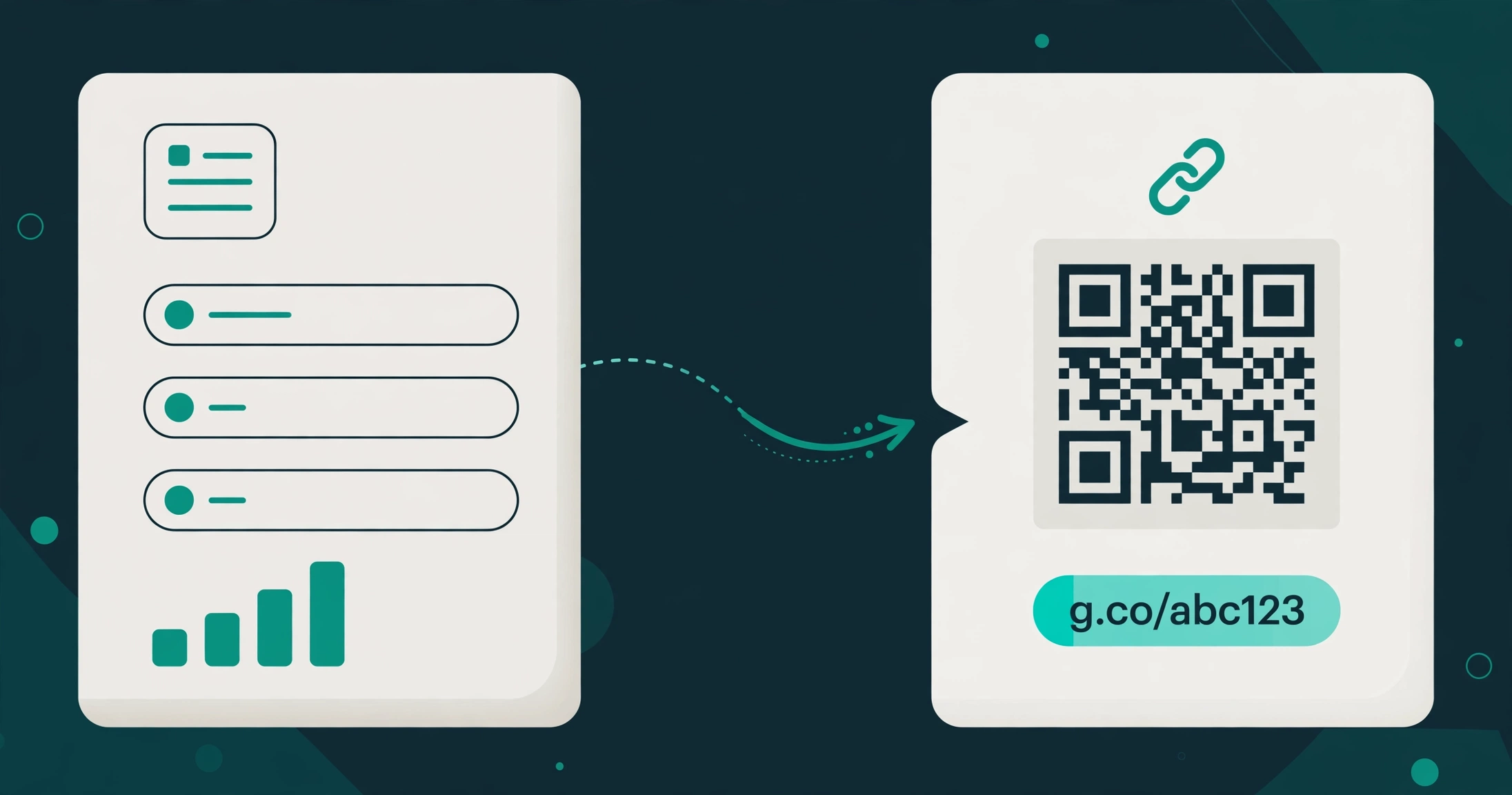
Dynamic QR codes. A Urlzbit QR code points at your managed short link, not directly at the final page. Edit the link's destination and every printed poster, menu, or package already in circulation sends people to the new page — no reprinting. You can download each code as a PNG from the link's options.
Country, device, and language routing (Pro). One short link can send visitors to different destinations based on where they are, what device they use, or their language — for example, US visitors to your .com store and UK visitors to your .co.uk store. Bitly does not offer this as a standard routing feature across its small-business tiers.
A/B testing with weighted destinations (Pro). Instead of guessing which landing page converts, you can split traffic between destination variants by weight and let the click data decide.
Bulk creation and CSV workflows (Pro). Launching a campaign with dozens of links is tedious one at a time. Urlzbit's tools let you paste up to 20 destination URLs at once, import up to 100 rows from a CSV file, and export your links back out — useful for agencies juggling client campaigns.
API access. Here Bitly deserves credit: its free plan includes 1,000 API requests a month, which is generous for testing. Urlzbit's developer API is a Pro and Business feature, so automations are a paid capability. If API access on a free tier is your priority, Bitly's free plan is the better starting point.
How Far Back Can You See? Analytics History Compared
Analytics limits are easy to overlook because they only hurt later. A reporting window is not the same as deletion — it defines how far back you can view click and scan data, which matters when you compare this quarter's campaign with last year's seasonal push.
Bitly's windows are published: no click history on Free, 30 days on Core, 120 days on Growth, and one year on Premium. Urlzbit's workspace analytics page states that detailed click records are retained for 90 days — which sits between Bitly's Core and Growth windows — better than the cheapest paid Bitly tier, short of Premium's full year. If your reporting cycle is monthly or quarterly, 90 days covers it. If you routinely audit year-old campaigns inside your link tool rather than in a separate analytics platform, Bitly Premium's window is a genuine advantage to weigh.
How to Switch From Bitly to Urlzbit Without Breaking Your Links
Migration is where alternative-to-Bitly articles often overpromise, so here is the accurate version.
Your bit.ly links cannot move. The bit.ly domain belongs to Bitly. No other provider can take over those URLs or make them redirect through a different service, and any tool claiming otherwise should not be trusted with your links.
Links on a domain you own are different. If your short links use a custom domain you control, you can in principle repoint that domain to another provider — but the new provider must support your domain, every existing path must be recreated exactly, DNS and HTTPS certificates must be configured, and each redirect must be tested. Urlzbit's documented branding feature is "personal redirect branding"; before planning a domain migration, confirm with Urlzbit that your specific domain setup is supported. Do not assume a seamless transfer.
Your data only partially travels. Bitly's data export is a paid-tier capability, and exporting gives you your link and destination records — it does not preserve your historical click analytics inside the new tool, and it cannot recreate bit.ly addresses elsewhere.
A practical switching procedure: 1. Audit your Bitly links and note which domain each one uses. 2. Export whatever link and destination data your Bitly plan allows. 3. Mark the links that must keep their exact address — printed bit.ly links cannot be preserved, so plan replacements. 4. Recreate the links you can in Urlzbit and verify every destination. 5. Test redirects, QR codes, and tracking on a few links before moving production traffic. 6. Keep your Bitly account active while older links still circulate.
Sometimes migration is simply not practical: if years of printed materials carry bit.ly links that drive real traffic, keeping Bitly for those while starting new links elsewhere is the sensible split.
When Bitly Is Still the Better Choice
Bitly remains the stronger choice in several clear situations. Large marketing departments benefit from its integrations marketplace, mobile apps, and campaign infrastructure. Enterprises get SSO, group permission management, and a 99.99% uptime commitment on the Enterprise tier. Teams whose reporting depends on a full year of in-tool click history, or whose printed estate is built on bit.ly links they cannot replace, have practical reasons to stay. And if your traffic per link is very high, Bitly's unlimited clicks on every plan — including free — may matter more than Urlzbit's larger link inventory. A credible alternative to Bitly does not need to pretend otherwise.
Where Urlzbit May Not Be the Right Fit
Urlzbit is a smaller, newer service, and that shows in a few places. Paid plans are activated through manual payment requests rather than instant card checkout — a deliberate consequence of the no-auto-renewal model, but less immediate than a subscription. The developer API is paid-only, whereas Bitly includes a starter API allowance free. Documented third-party integrations are limited compared with Bitly's marketplace, and team-management and custom-domain details are thinner than an enterprise buyer would expect. If you need documented uptime guarantees, SSO, or a mature integration ecosystem today, Urlzbit is not there yet. It is a reasonable fit for individuals and small teams whose needs are links, QR codes, routing, and honest pricing — not enterprise administration.
Final Verdict: Should You Choose Urlzbit Instead of Bitly?
Choose Urlzbit if your link volume outgrew Bitly's free plan, you want routing, bulk tools, and an API without a $29–$199 monthly subscription, and you prefer paying per 30 days — or once, with Lifetime Pro — over an auto-renewing contract. Choose Bitly if you rely on its integrations, apps, enterprise controls, or a year of in-tool analytics history. The single strongest reason to consider Urlzbit is cost control with room to grow; the strongest reason to stay with Bitly is its ecosystem. Try Urlzbit's free plan with a few real campaign links and see whether it fits your workflow before choosing any paid option.
CTA 3: Start managing your links — free plan, no automatic renewal if you upgrade.
Frequently Asked Questions
What is a good alternative to Bitly for small businesses? For small teams, a good Bitly alternative offers a larger free link allowance, basic click analytics, QR codes, and paid pricing that does not balloon with each feature. Urlzbit fits that profile: 100 saved links free, routing and bulk tools on Pro at $9 per 30 days, and an optional $149 lifetime plan.
Is there a free alternative to Bitly? Yes. Urlzbit's free plan includes up to 100 saved links and 10,000 clicks per calendar month, with custom endings, password protection, and scheduling. Bitly's own free plan allows 5 links and 2 QR codes a month with unlimited clicks but no click-history reporting, so the better free plan depends on whether you need more links or unlimited clicks.
Is Urlzbit cheaper than Bitly? On comparable small-team usage, generally yes. Urlzbit Pro is $9 per 30 days with no automatic renewal, versus Bitly Core at $10/month billed annually ($120/year) and Growth at $29/month annually. Urlzbit also offers Lifetime Pro at $149 one-time, which Bitly has no equivalent to — though Bitly's plans include extras like mobile apps and integrations.
Can I move my existing Bitly links to another URL shortener? Only partially. Links on the bit.ly domain cannot be transferred to any other provider. Links on a custom domain you own may be repointed if the new provider supports your domain and you recreate each path. Your historical click analytics do not transfer either way, so most people start fresh links on the new service and keep Bitly active for legacy links.
Can I create and edit QR code destinations with Urlzbit? Yes. Every Urlzbit link has a QR code you can download as a PNG. Because the code points to your managed short link, editing the link's destination later updates where the printed code sends people — useful for menus, packaging, and signage that stay in circulation. Read how printed QR codes stay editable for the full QR workflow.
Does Urlzbit offer a one-time lifetime plan? Yes. Lifetime Pro costs $149 once and provides Pro features for the operating lifetime of the service, with no renewals. It is capped at 50 places. The paid 30-day plans also never auto-renew: you only pay again if you choose to extend your access.
Related: How to password-protect a link — a useful feature that is free on Urlzbit.