Guides
How to Use the URLZBit API: Create Short Links with Python, JavaScript and cURL
A practical tutorial for the URLZBit developer API: authenticate with a Bearer key, create short links with cURL, Python and JavaScript, manage links, pull analytics, and respect the 120 requests/minute rate limit.
By Urlzbit · · 10 min read
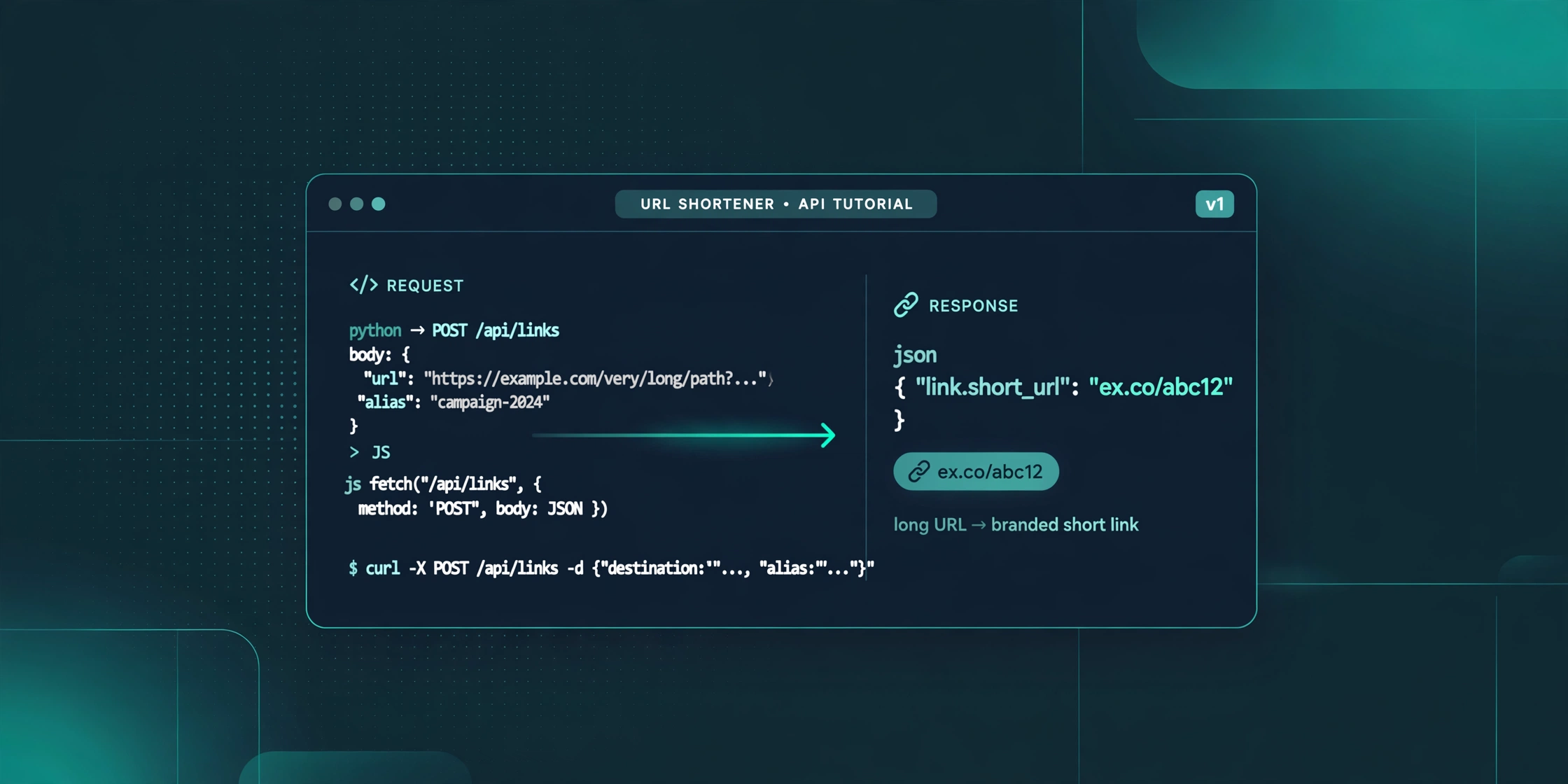
The URLZBit developer documentation lists every endpoint, but it is a reference — it tells you *what* exists, not how to build with it. This tutorial is the practical companion: setup instructions that actually work, code in cURL, Python, and JavaScript for creating and managing short links, and the rate-limit and security practices the reference doesn't cover.
Everything below is built strictly from the official documentation. Where the docs are silent, the article says so — no invented fields, no guessed responses. All code examples have been syntax-validated; none has been executed against the live API, and each section states its validation status plainly.
What you need before you start
A plan with API access. The Developer API is a Pro and Business feature — it is not available on the Free plan. If you're on Free, compare the plans first; Pro starts at $9 per 30 days with no automatic renewal.
An API key. In your URLZBit workspace, go to Workspace → Settings and create an API key. The key inherits your account's ownership and plan limits, so a key created on a Pro account gets Pro limits.
A server-side environment. API keys must remain server-side. Never put a key in client-side JavaScript, mobile app bundles, or public repositories — anyone with the key can create, edit, and delete your links. Never paste a real key into chats, tickets, logs, or comments. Every example here uses the placeholder your-api-key-here.
Setup: making the key available to your code
Creating a .env file does not automatically make its variables available — each runtime needs explicit loading:
Shell / cURL — export in the current session, or load the file explicitly:
export URLZBIT_API_KEY="your-api-key-here" # or load from a .env file: set -a; source .env; set +a
Python — export before running, or install python-dotenv:
pip install python-dotenv
from dotenv import load_dotenv load_dotenv() # reads .env into the environment import os API_KEY = os.environ["URLZBIT_API_KEY"]
Node.js — export before running, use the dotenv package (npm install dotenv, then import "dotenv/config"), or on Node 20.6+ pass the file directly:
node --env-file=.env tutorial.mjs
Module note (Node.js): the JavaScript examples use top-level await, which requires an ES module — save the file as .mjs, or set "type": "module" in package.json. For CommonJS (require()), wrap the logic in an async function instead.
Authentication: one header, every request
Every request to this URL shortener API carries the same header:
Authorization: Bearer <your-api-key>
No OAuth dance, no token refresh. The tradeoff is that key secrecy *is* your security — which is why the server-side rule above is non-negotiable.
Your first API call: shorten a URL
The core endpoint:
POST https://urlzbit.pro/api/links
Documented request fields: destination (the long URL), alias (optional custom ending), google (optional Google-sharing flag). The documented response includes link.managed_url and link.short_url.
cURL
curl -sS -X POST https://urlzbit.pro/api/links \ -H "Authorization: Bearer $URLZBIT_API_KEY" \ -H "Content-Type: application/json" \ -d '{"destination":"https://example.com/summer-sale","alias":"summer-sale","google":true}'
Python
import os
import requests
API_KEY = os.environ["URLZBIT_API_KEY"] # set via export or python-dotenv BASE = "https://urlzbit.pro"
response = requests.post( f"{BASE}/api/links", headers={ "Authorization": f"Bearer {API_KEY}", "Content-Type": "application/json", }, json={ "destination": "https://example.com/summer-sale", "alias": "summer-sale", "google": True, }, timeout=15, ) response.raise_for_status()
# Response shape per https://urlzbit.pro/developers ("The response includes # link.managed_url and link.short_url"). Confirm keys against a live response # before relying on them in production. link = response.json()["link"] print("Managed URL:", link["managed_url"]) print("Short URL: ", link["short_url"])
JavaScript (save as tutorial.mjs)
// Run: node --env-file=.env tutorial.mjs (Node 20.6+) const API_KEY = process.env.URLZBIT_API_KEY; // never hardcode the key const BASE = "https://urlzbit.pro";
const response = await fetch(BASE + "/api/links", { method: "POST", headers: { Authorization: "Bearer " + API_KEY, "Content-Type": "application/json", }, body: JSON.stringify({ destination: "https://example.com/summer-sale", alias: "summer-sale", google: true, }), });
if (!response.ok) { throw new Error("API request failed: " + response.status); }
// Response shape per https://urlzbit.pro/developers. Confirm keys against a // live response before relying on them in production. const { link } = await response.json(); console.log("Managed URL:", link.managed_url); console.log("Short URL: ", link.short_url);
Reading the response. You get two URLs back. link.short_url is the compact public link to share. link.managed_url is the workspace-managed URL — the one tied to your analytics, QR code, and edit controls. Store both: share the short URL, manage via the managed URL.
The google flag. Setting "google": true enables Google sharing. Per the docs, if the Google operation fails you get a warning *but the regular short link is still created* — treat a warning as a partial success, not a failure.
Validation status: syntax-validated (Python 3.12, Node v24) and documentation-verified. Not live-tested — confirm runtime behavior with your own authorized key before production use.
Managing links: list, search, update, delete
Methods and paths below are documented; request bodies beyond what's shown are not — nothing beyond the documented fields is assumed.
List and search:
curl -sS "https://urlzbit.pro/api/links?q=summer&page=1" \ -H "Authorization: Bearer $URLZBIT_API_KEY"
Pass q to search and page to paginate — handy for finding a link's ID before updating it, and for the duplicate-guard under rate limits.
Get, update, or delete one link:
GET https://urlzbit.pro/api/links/{id} PATCH https://urlzbit.pro/api/links/{id} DELETE https://urlzbit.pro/api/links/{id}
One documented PATCH body is the geo-rules object for country-based routing:
curl -sS -X PATCH https://urlzbit.pro/api/links/abc123 \ -H "Authorization: Bearer $URLZBIT_API_KEY" \ -H "Content-Type: application/json" \ -d '{"rules":{"geo":[{"country":"PK","url":"https://example.com/pk"}]}}'
This is the documented shape — a rules object with a geo array of country/URL pairs. Visitors from Pakistan go to the PK page; everyone else follows the default destination. The same behavior is walked through without code in the country redirect guide.
Two endpoints are documented by existence only — POST /api/links/{id}/google and POST /api/links/{id}/simulate. Their request schemas are not published, so don't call them with assumed or empty bodies; confirm the schema from the official documentation or support first.
Pulling analytics
Documented endpoint and parameter:
GET https://urlzbit.pro/api/analytics?days=30
import os
import requests
API_KEY = os.environ["URLZBIT_API_KEY"] BASE = "https://urlzbit.pro"
response = requests.get( f"{BASE}/api/analytics", headers={"Authorization": f"Bearer {API_KEY}"}, params={"days": 30}, timeout=15, ) response.raise_for_status() analytics = response.json() # NOTE: the docs name this endpoint and its days parameter but do not # specify the response shape. Inspect the keys of a real response before # building reports on them. print(analytics)
Adjust days to your reporting window. The dashboard retains 90 days of detailed click records (per the workspace analytics page), so keep days within what your plan stores — but don't assume the API response mirrors the dashboard; report exactly what the endpoint returns once you've called it.
Validation status: syntax-validated and documentation-verified. Not live-tested; response shape undocumented.
Bulk creation
Documented facts: POST /api/bulk exists and accepts up to 20 links per call. The request payload schema is not published. Don't guess it and don't build a production integration on an assumed shape — confirm the schema from the official documentation or URLZBit support first.
Rate limits done right: 120 requests per minute
Documented: 120 requests/minute per account; keys inherit the account's plan limits. Four practices the reference doesn't spell out:
1. Pace below the ceiling. Target ~100/minute as a safety margin:
import time
TARGET_PER_MINUTE = 100 # safety margin under the documented 120 MIN_INTERVAL = 60.0 / TARGET_PER_MINUTE
def paced(call): """Run an API call, enforcing a minimum gap between calls.""" time.sleep(MIN_INTERVAL) return call()
2. The limit is per account, not per process. Three workers sharing one key, each pacing itself to 100/minute, will collectively triple the limit. Coordinate through a shared limiter (a central token bucket or job queue) or divide the budget explicitly across workers.
3. Bound your retries. Exponential backoff with jitter and a hard cap. The docs publish no rate-limit status codes, so treat any rejection the same way:
import random import time
def call_with_backoff(call, max_attempts=5): """Bounded retries with exponential backoff and jitter.""" delay = 1.0 for attempt in range(1, max_attempts + 1): try: return call() except Exception: if attempt == max_attempts: raise time.sleep(delay + random.uniform(0, 0.5)) delay *= 2 raise RuntimeError("unreachable")
4. Don't create duplicates when retrying. Retrying POST /api/links after an ambiguous failure (timeout, dropped connection) can create the same link twice — the docs describe no idempotency key. Guard it: before retrying a create, search first with the documented GET /api/links?q=<alias> endpoint and reuse the link if it already exists.
And cache analytics — pull on a schedule (hourly, not per page view) instead of polling. Polling is the easiest way to burn a per-minute budget.
Keeping your key safe
- Environment variables or a secrets manager only. Never in source code, never in a Git repo, never in a chat or ticket.
- Server-side only. No scoped permissions are documented, so treat a leaked key as full access to your links. Never ship it in frontend JavaScript or mobile apps — proxy through your own backend.
- If a key may be compromised, create a new key in Workspace → Settings and switch your integration to it promptly.
How URLZBit's API compares
Fair context, from verified sources only:
- Bitly offers a full developer portal (dev.bitly.com) with Bearer tokens and OAuth 2.0, and its free plan includes 1,000 API requests per month. URLZBit's API requires a paid plan — Bitly wins on free-tier access.
- T.LY ships official SDKs (Python, Node, Go, .NET, Ruby, Laravel), a playground, and an OpenAPI spec. URLZBit has no SDKs — you write raw HTTP calls, as this tutorial does.
- Cuttly offers API access on its free plan (3 requests per 60 seconds). URLZBit's 120 requests/minute is far more generous per unit of time, but it's behind the paywall.
- URLZBit's edge: no OAuth complexity (one Bearer header), bulk creation up to 20 links per call, geo-rule management via API, and per-minute limits that suit real automation workloads.
Frequently asked questions
Is the URLZBit API free? No. API access requires a plan that includes it — Pro ($9 per 30 days) or Business. See pricing for the current tiers.
How do I get an API key? Workspace → Settings in your URLZBit account, on a plan with API access. Keep it on your server.
What's the rate limit? 120 requests per minute per account, documented on the developer page. Keys inherit the account's plan limits.
Can I shorten 100 links at once? The API bulk endpoint accepts up to 20 links per call — but its payload schema is undocumented, so confirm it before building on it. For non-developers, the dashboard's paste/CSV bulk tool handles up to 100 rows (see the bulk URL shortener guide).
Have the code examples been tested? They are syntax-validated and built strictly from the official documentation. They have not been executed against the live API — confirm with your own authorized key before production use.
What to build next
Start small: authenticate, create one link, read the response. Then automate the repetitive work — bulk-create campaign links, pull analytics into your own dashboard, rotate geo rules per market. The API is deliberately simple: one header, REST endpoints, JSON in and out. That's enough to wire URLZBit into any stack.