Guides
How to Shorten a Link for Facebook (Posts, Bios, and Ads)
A long link in a Facebook post looks like clutter. It wraps across lines, hides behind the preview card, and asks the reader to trust an address they cannot read — on a platform where everyone has already learned to be suspicious of links t
By Urlzbit · · 14 min read
A long link in a Facebook post looks like clutter. It wraps across lines, hides behind the preview card, and asks the reader to trust an address they cannot read — on a platform where everyone has already learned to be suspicious of links they cannot read. A short link fixes the presentation problem. And when you give every post, bio slot, and ad its own short link, it also tells you which one actually earned the clicks.
Why Facebook Posts Need Short Links
Facebook does not shorten links for you. Unlike X, which wraps every link automatically, Facebook shows the address you paste — all of it. That makes the readability job yours, and it is worth doing.
- A long link buries the post. A raw address with category paths, tracking parameters, and random identifiers can run to a hundred characters or more. In a post, it competes with your own words for attention. In a comment, where there is no big preview card to carry the message, a raw address dominates the whole sentence. The reader has to work to find what you actually wanted to say.
- A long link looks untrusted. Facebook is full of scam links, and everyone who uses it has learned to distrust addresses they cannot read. A short, readable link tells the reader where they are going before they tap it. A wall of random characters tells them nothing, and nothing is exactly what a suspicious link looks like.
- A short link is a label, not clutter. A readable ending — a product name, a guide title, a sale — carries meaning on its own. The link stops being noise and starts being a signpost. That matters on Facebook, where a post is competing with everything else in the feed.
- A short link is measurable per post. When every post carries its own short link, you can see which post drove clicks. When every post uses the same raw destination address, all you know is that somebody clicked something, somewhere. That is the real reason to shorten links for Facebook, and it is worth more than the cleaner formatting.
- A short link survives copy and paste. Facebook posts get shared, copied into groups, and pasted into messages. A clean short address survives that journey. A long address gets truncated, breaks across lines, or loses a parameter in the copy — and a broken link is a dead link.
The point is not that a short link is magic. It is that Facebook is a trust-first feed, and a link people can read is a link people tap.
Shorten a Link for Facebook with Urlzbit
Shortening a link for Facebook on Urlzbit takes under a minute, and the only habit that matters is giving every distinct post its own link.
- Paste the destination URL. Any page you want Facebook readers to land on — an article, a product page, a signup form, a booking page, a menu.
- Give it a readable custom ending. On Urlzbit's free plan, custom endings are included, along with 100 saved links and 10,000 clicks per calendar month. A slug like spring-sale or menu-june tells the reader what is behind the click; a random string does not.
- Use one short link per post, not one link for everything. If the same short link goes to five different posts, their clicks blend into one number and you learn nothing about which post responded. One link per post, ad, or campaign turns every share into its own measurable test.
- Add UTM parameters when the link goes in an ad. A short link and UTM parameters do different jobs: the short link is what people see, the UTM tags are what your analytics read. For the full walkthrough, see the UTM guide: How to Add UTM Parameters to Short Links Without Losing Tracking.
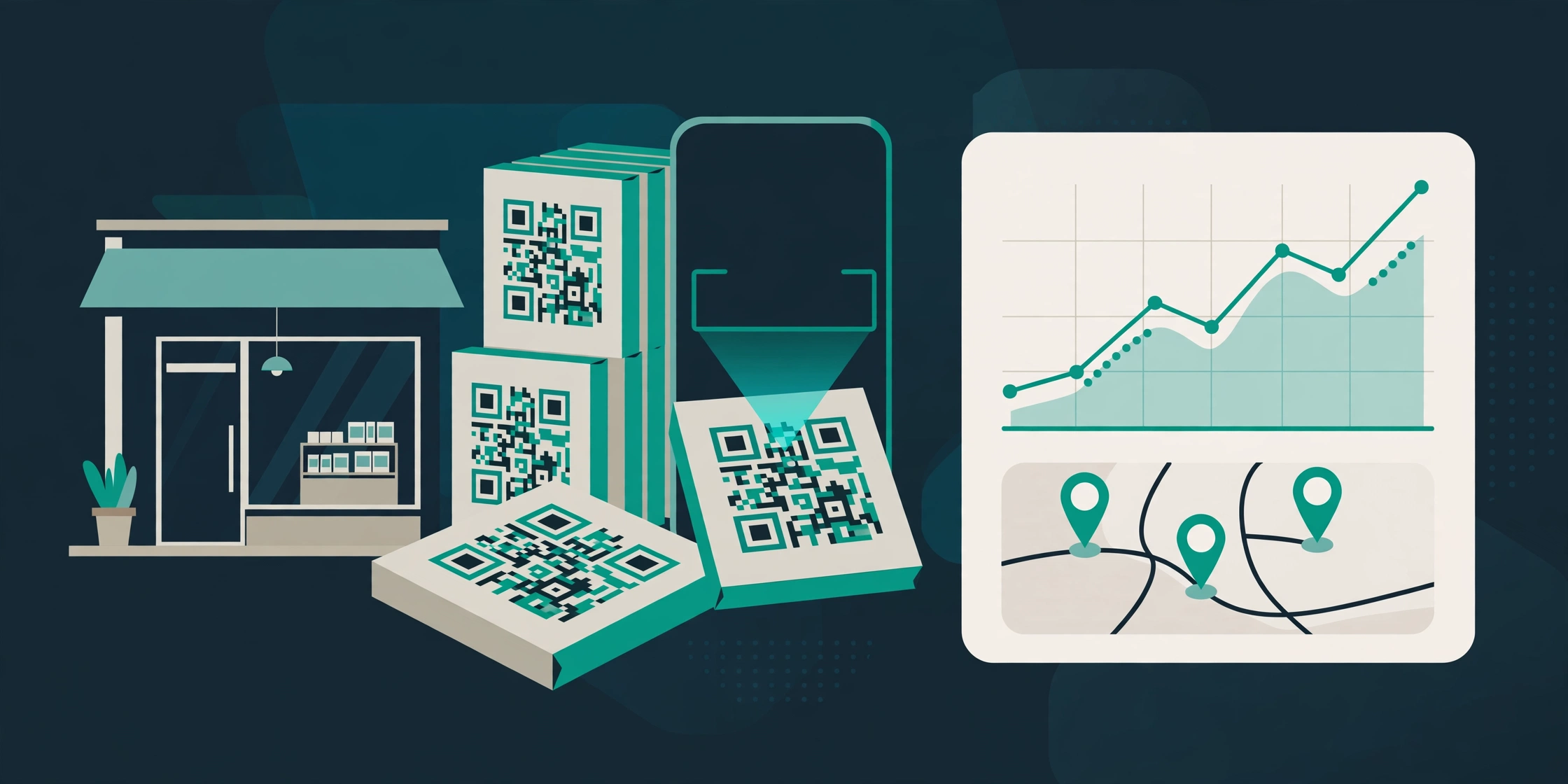
- Add a QR code when the share starts offline. Every Urlzbit link comes with its own QR code, so a printed flyer, a shop counter card, or a poster can send people to the same page your Facebook post links to — and you can measure both.
- Read the post before you publish it. Check that the link reads naturally at the end of your sentence, that the post still makes sense if no preview card appears, and that the slug matches what the post promises. A mismatch between the slug and the destination is a trust problem, not a formatting problem.
- Keep the destination honest. A short link earns its click by matching the post. If the post promises a menu, the link should open a menu. Readers who feel tricked once will not tap your links again, no matter how clean they look.
For the full walkthrough of creating and managing links, see the Urlzbit starter guide: How to create, share and track a short link. Full plan limits live on the pricing page: Urlzbit pricing.
Your Facebook Bio Link: Where It Actually Lives
The bio link is the one link on Facebook that works while you are not posting — but only if you put it in the right place, because Facebook spreads links across several fields and they do not all behave the same way.
- On a personal profile, use the Links section. Go to your profile, open About, then Contact and basic info, and add your website under Websites. That field is clickable for anyone who visits your profile, and you can list more than one website there.
- Keep the Intro for words, not addresses. The Intro field is short — about 101 characters — and it is meant to say who you are. Put the link in the Links section and let the Intro do its own job.
- On a Page, use the website field and the action button. A Page has a website field in its info, plus the action button under the cover photo — Learn more, Book now, Shop now — which can point at any URL you choose. Both are visible on every visit, without you posting anything.
- Point the bio link at a short link you control. If the bio link is a raw address, changing the destination means editing the profile. If it is a short link, you edit the destination in Urlzbit and the profile never changes. The same link also gives you a click count for your profile, which Facebook itself does not provide.
- The bio link matters more than it used to. Facebook has started limiting links in organic Page posts for some Pages — two posts or comments with links per month unless the Page subscribes to a higher Meta One plan. The limit does not apply to every Page, and it does not cover profile fields at all: the website in your Page intro and your action button are not posts, so they keep working. One permanent link in your profile, pointing at a page you can update whenever you like, is the safe way to stay reachable.
Facebook Link Previews — the Honest Note
Paste a link into a Facebook post and it usually shows a preview card — a title, a short description, and an image. It is natural to assume the shortener controls that card. It does not, and understanding why saves you from chasing a setting that does not exist.
- The preview comes from the destination page, not the shortener. When Facebook builds a preview card, its crawler reads the destination page's Open Graph metadata — the title, description, and image the page itself declares. A short link only redirects; it does not carry or set the preview content.
- Facebook caches the preview. The first time a link is shared, Facebook stores a copy of the card. If you change the destination page afterward, old posts keep showing the old card until the cache expires or someone forces a refresh. A preview that looks stale is usually a cache problem, not a short-link problem.
- The Sharing Debugger is the fix. Paste the destination URL into the Facebook Sharing Debugger: Facebook Sharing Debugger and click Scrape Again. That tells Facebook to discard the stored copy, re-read the page, and rebuild the card from the current tags.
- You cannot edit the preview inside the post composer. Facebook removed that ability in 2017. If the card shows the wrong title or image, the fix is on the destination page's tags — not in Facebook, and not in the short link.
- If the destination page has no preview metadata, there is no card. A page without Open Graph tags shows up as a plain text link, no matter which shortener you used. Fixing that means fixing the destination page.
- A preview is never guaranteed. Even a well-tagged page sometimes shows no card — Facebook can serve a cached version, the page or its image can be unreachable at that moment, or the reader may have previews disabled. A missing preview is usually a destination or device issue, not a shortener failure.
- Test before you post widely. Paste the short link into a post with the audience set to Only me and watch what appears. If the card looks wrong, check the destination page's metadata — not the short link. If the card looks right, change the audience and publish with confidence.
This is the part of the guide most articles skip, because it admits a limit. But a limit stated plainly is more useful than a promise that falls apart the first time a preview fails to load.
Track Clicks Per Post and Per Ad
Facebook gives you reach and engagement numbers for a post, but it will not tell you how many people tapped a specific link — and it certainly will not tell you which of your links earned the clicks. A shortener fills that gap, but only if you structure the links so the numbers mean something.
- One link per post or ad. A link in a Monday post and the same link in a Friday ad are two different placements, and they deserve two different short links. Shared links produce blended numbers; separate links produce answers.
- Name the slug after the placement, not the destination. A slug like fb-sale-monday tells you at a glance which post the clicks came from. A slug that just repeats the page title tells you nothing about the post itself, and you will be guessing when you read the analytics later.
- Use UTM parameters on ads. When a link runs in a paid campaign, UTM tags separate Facebook ad traffic from organic Facebook traffic in your analytics, and separate one campaign from another. The short link is what people see; the UTM tags are what your reports read. For the full walkthrough, see the UTM guide: How to Add UTM Parameters to Short Links Without Losing Tracking.
- Read clicks as clicks, not as people. Urlzbit's free plan records clicks per link, with country and device breakdowns. A click count tells you how often a link was opened. It does not tell you how many different people opened it, and it certainly does not identify anyone. Anyone who promises you per-person Facebook click tracking from a short link is selling you something that does not exist.
- Compare posts, not just totals. Fifty clicks from a post that reached 200 people is a strong result; fifty clicks from a boosted post that reached 20,000 people is not. The number that matters is the response for that placement, and you can only calculate it when each placement has its own link.
- Know when free stops being enough. The free plan covers 100 saved links and 10,000 clicks per calendar month, which handles most personal and small-business Facebook posting. If you run many campaigns or need unlimited clicks, Pro is $9 per 30 days with no auto-renewal — you renew only when you want to.
The honest version of Facebook tracking is simple: you can measure which posts and ads got clicks, how often, and from where. You cannot measure who clicked. That is enough to run better campaigns, and it is the only claim worth making.
When Short Links for Facebook Do Not Help
Short links are a presentation and measurement tool, not a persuasion tool. There are situations where shortening changes nothing, and naming them keeps the advice honest.
- When the post itself is the problem. A short link will not rescue a post nobody wanted. If the offer is weak or the timing is wrong, the link format is not the reason clicks are low.
- When the audience already trusts you. A link in a close friends group does not need to prove itself. Shortening still helps with tracking, but the trust benefit is small because the trust is already there.
- When the destination is untrusted. A clean short link pointing at a page that looks like a scam makes the problem worse, not better — it hides the destination from people who were right to be careful. Fix the destination first.
- When the preview card is broken. A short link cannot fix a missing or wrong preview card. That is a destination-page job, fixed with Open Graph tags and the Sharing Debugger.
- When you need Facebook's own features. A short link is a web address. It does not create an event, open a shop, or start a group discussion by itself. Use Facebook's own tools for those jobs and use short links for the pages behind them.
FAQ
Do I need an account to shorten a link for Facebook?
No. Urlzbit's free plan lets you create short links with custom endings, a QR code per link, and per-link click analytics. Creating an account is what lets you save and manage those links afterward, edit their destinations, and keep the analytics in one place.
Will a short link change the Facebook preview card?
No. The preview card is built from the destination page's own Open Graph metadata. Shortening changes the address people see, not the title, description, or image Facebook shows. If the preview looks wrong, the fix is on the destination page — the Sharing Debugger can force Facebook to re-read it.
Can I see who clicked my Facebook link?
No. Urlzbit records clicks per link, with country and device breakdowns. It does not identify individual clickers, and no shortener can — Facebook does not share that information. Treat any tool that promises per-person Facebook click tracking as untrustworthy.
Should I use the same short link in every Facebook post?
No. Use one short link per post, ad, or campaign. Sharing one link everywhere blends all the clicks into a single number, and you lose the ability to tell which post worked.
Where should the link in my Facebook bio go?
On a personal profile, put it in the Links section under About, then Contact and basic info. On a Page, use the website field and the action button under the cover photo. Point it at a short link you control, so you can change the destination later without editing your profile.
What happens if I edit a short link after posting it on Facebook?
The short link itself stays the same, so every post that already contains it keeps working — it simply opens the new destination. That is the main advantage of a managed short link over a raw address: a typo in the destination or a moved page is fixable without editing or deleting the post.
Does Urlzbit charge automatically?
No. There is no auto-renewal on any Urlzbit plan. Pro is $9 per 30 days and you renew it only when you choose to.
The Short Version
Facebook shows the address you paste, all of it, so a raw link makes your post look messier and less trustworthy than it is. Shorten the link, give it a readable ending, give every post and ad its own link so the clicks mean something, put a short link you control in your bio, and remember that the preview card belongs to the destination page — not to the shortener. Do those five things and your Facebook links will look cleaner, feel more trustworthy, and tell you which posts actually worked.